-
Type:
Bug Report
-
Resolution: Won't Fix
-
Priority:
 L3 - Default
-
None
-
Affects Version/s: None
-
Component/s: cockpit
-
None
Steps to Reproduce
- Go to cockpits process definition view
- add a variable filter
- select the filter property or value
Problem
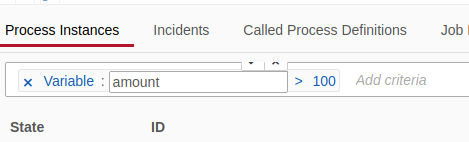
the Cancel and Confirm buttons which appear on top of the input fields are overlapped by the above UI elements (see screenshot).
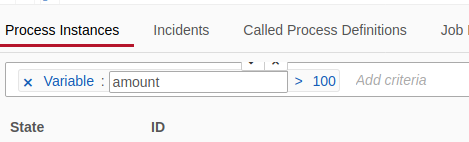
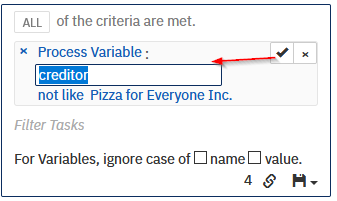
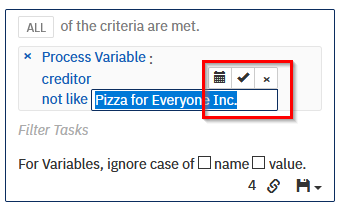
In various places when setting a filter condition the confirm button for changes in the filter is displayed incorrectly (see screenshots).
This occurred in the following places:
- When selecting process instances for migration in Cockpit
- When filtering for Tasks in Tasklist
Expected behavior
Buttons are fully visible
Hint
this issue affects all search fileds
This is the controller panel for Smart Panels app
- is duplicated by
-
-
- Closed
-