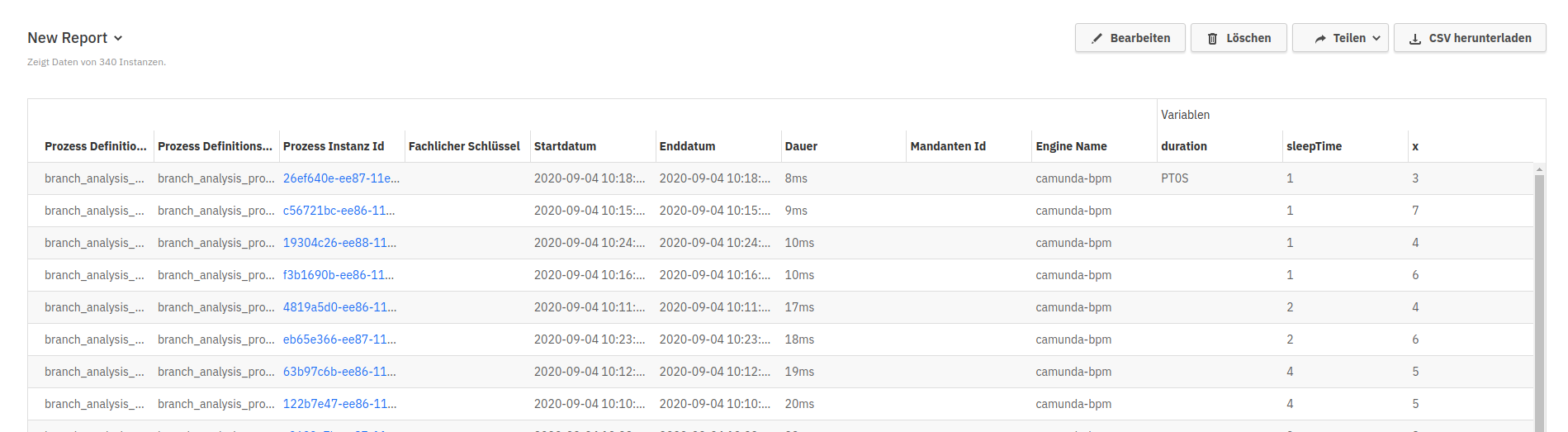
Table default sorting not visible after switching browser language

XMLWordPrintable

    • Type: Bug Report
    • Resolution: Duplicate
    • Priority: L3 - Default
    • None
    • Affects Version/s: None
    • Component/s: frontend
    • None
    • Not defined

      Steps to reproduce

      • create table report (default sorting icon is visible)
      • switch browser language to german

      Problem
      sorting icon not visible

      Expected behavior
      sorting icon is visble

        This is the controller panel for Smart Panels app
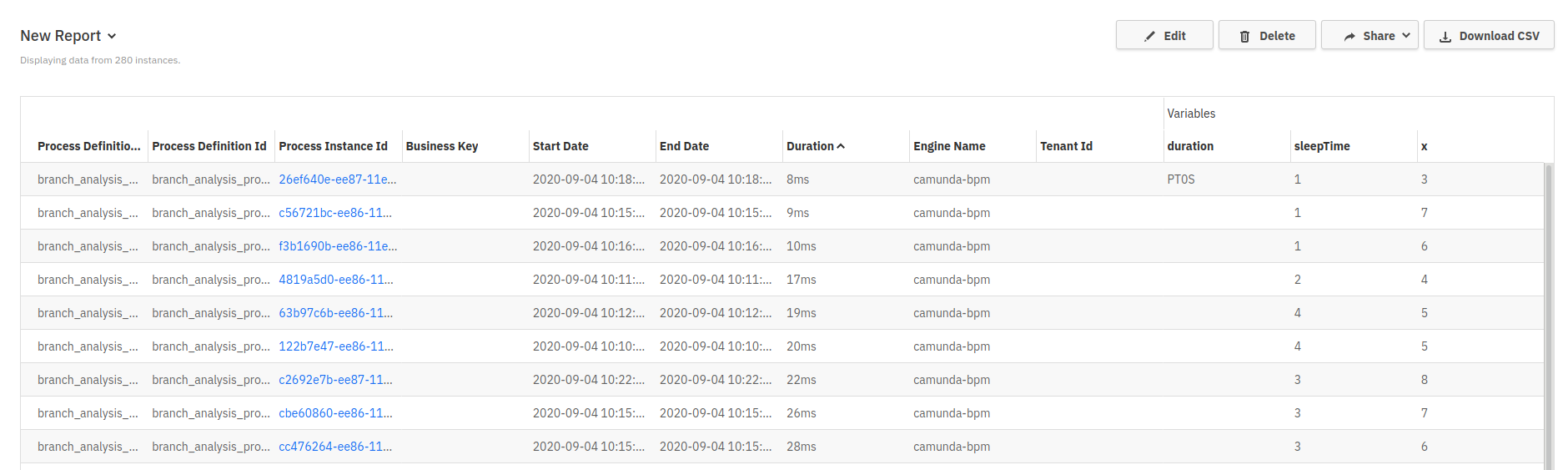
          1. opti_default_sorting_eng.png
            102 kB
            Michael Schoettes
          2. opti_default_sorting_ger.png
            92 kB
            Michael Schoettes

              Assignee:
              Unassigned
              Reporter:
              Michael Schoettes
              Votes:
              0 Vote for this issue
              Watchers:
              1 Start watching this issue

                Created:
                Updated:
                Resolved: