-
Type:
Task
-
Resolution: Fixed
-
Priority:
 L3 - Default
-
Affects Version/s: None
-
Component/s: frontend
-
Not defined
Context:
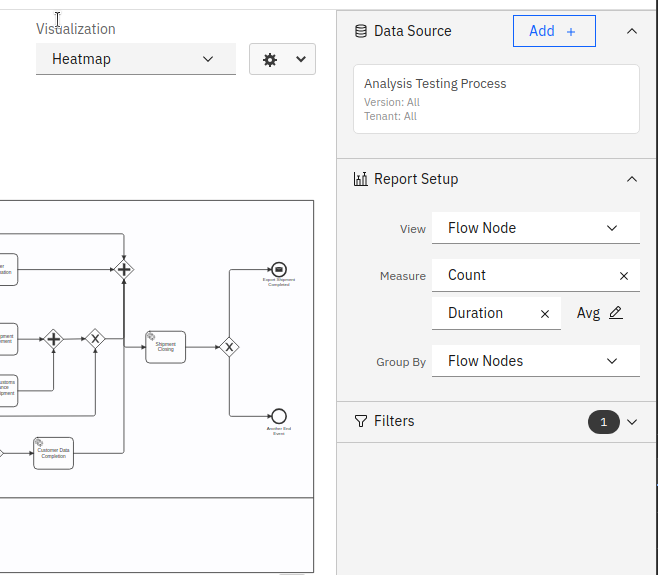
The menuDropdown does not use grey color on white background like other input elements. This prevented using the correct layering styles on the report control panel.
AT:
- Adjust the menuDropdown styles to have the same background color as other carbon input elements
- Adjust the report setup to use correct carbon layering model.
Testing notes:
on report edit page the menu dropdown component should have a white background on the gray report control panel on the right and gray background on white background (e.g. visualisation type dropdown)
See also attached screenshot