-
Type:
Bug Report
-
Resolution: Fixed
-
Priority:
 L3 - Default
-
Affects Version/s: 7.16.0
-
Component/s: webapp
-
None
Environment (Required on creation):
Issue found on 7.16.0- Snapshot
Description (Required on creation; please attach any relevant screenshots, stacktraces, log files, etc. to the ticket):
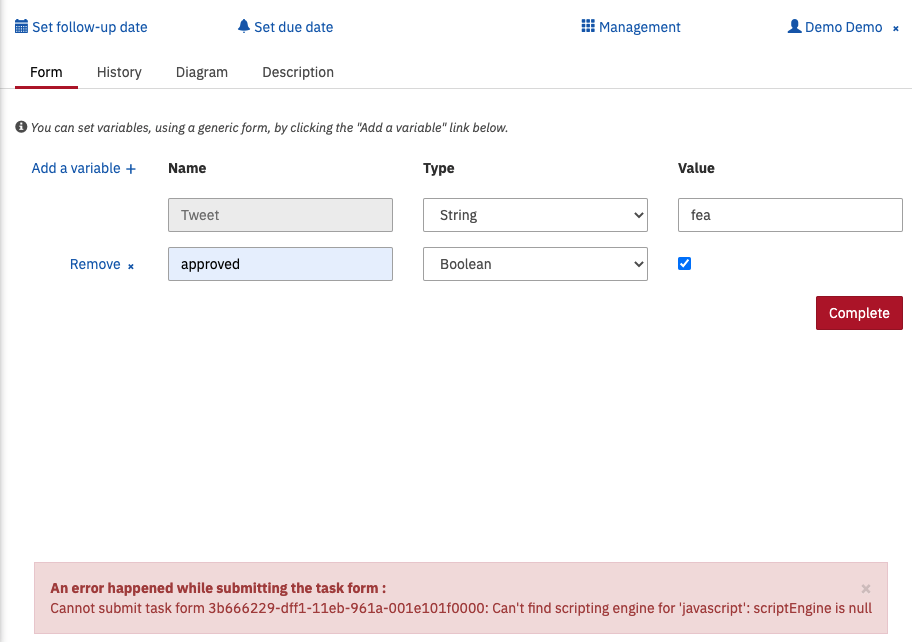
JavaScript engine not found while executing a process with a JS task
I have attached the log file and a screenshot for further investigation.
Steps to reproduce (Required on creation):
- Download the latest Wildfly snapshot.
- Use Java 15
- Start the process (use attached bpmn file for reference)
Observed Behavior (Required on creation):
While executing the task, an error is shown
Can't find scripting engine for 'javascript': scriptEngine is null
Expected behavior (Required on creation):
The scripting engine is set to GraalVM (i.e. all the modules are included as part of the distro when downloaded) and the tasks should complete without any errors
Root Cause (Required on prioritization):
Solution Ideas (Optional):
Hints (Optional):
The issue does not occur on Tomcat
- is related to
-
CAM-12103 Support Java 15
-
- Closed
-