-
Type:
Bug Report
-
Resolution: Fixed
-
Priority:
 L3 - Default
-
Affects Version/s: 7.3.0-alpha3
-
Component/s: cockpit
Reproduce:
- Open Modify tab in process instance view
- Select an instruction to perform (e.g., start after a task)
- Click Apply Modifications
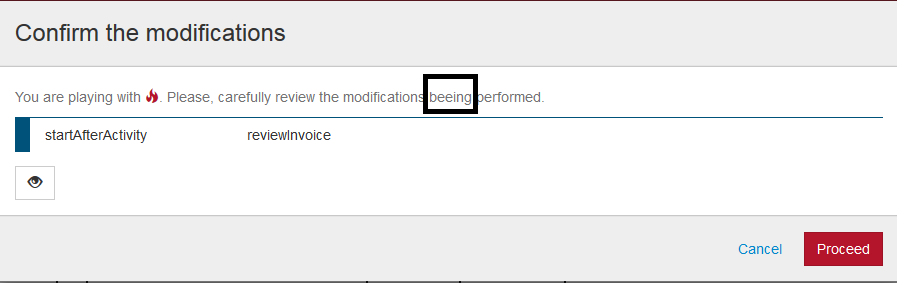
In the confirmation dialog, there is a typo
Current state:
- You are playing with (fire img). Please, carefully review the modifications beeing performed.
Should be:
- You are playing with (fire img). Please, carefully review the modifications being performed.