-
Type:
Bug Report
-
Resolution: Fixed
-
Priority:
 L3 - Default
-
Affects Version/s: None
-
Component/s: cockpit
-
None
Steps to reproduce:
1. start ee-webapp in develop profile
2. login into admin as jonny1
3. add following authorizations for the user demo:
- resource: Application, permission: ACCESS, resourceId: *
- resource: ProcessDefinition, permissions: READ, READ_HISTORY, resourceId: AnotherFailingProcess
4. logout
5. login into cockpit as demo
6. click on process definition Another Failing Process
7. switch to History view
8. select a process instance which has been started by a "super" process instance
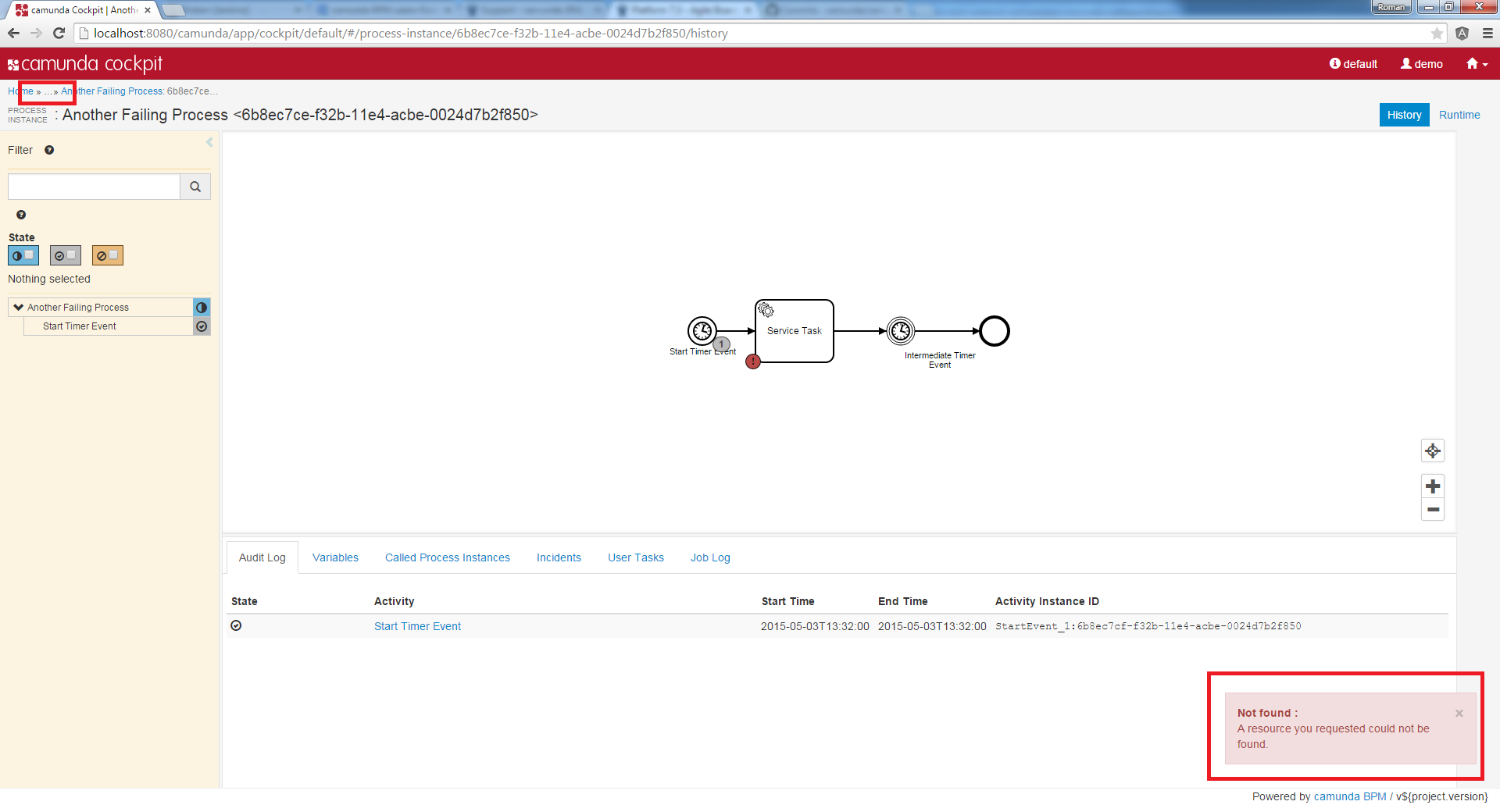
-> The breadcrump looks as follows:
Home >> ... >> Another Failing Process : ...
9. click on ... inside breadcrump
-> An exception will be thrown: A resource you requested could not be found.
-> The breadcrump does not change the state.
Expected behavior:
The breadcrump in the History view behaves like the breadcrump in the Runtime view in such a case. So that the breadcrump should look as follows:
Home >> Another Failing Process : ...