L3 - Default
 Reproduce steps:
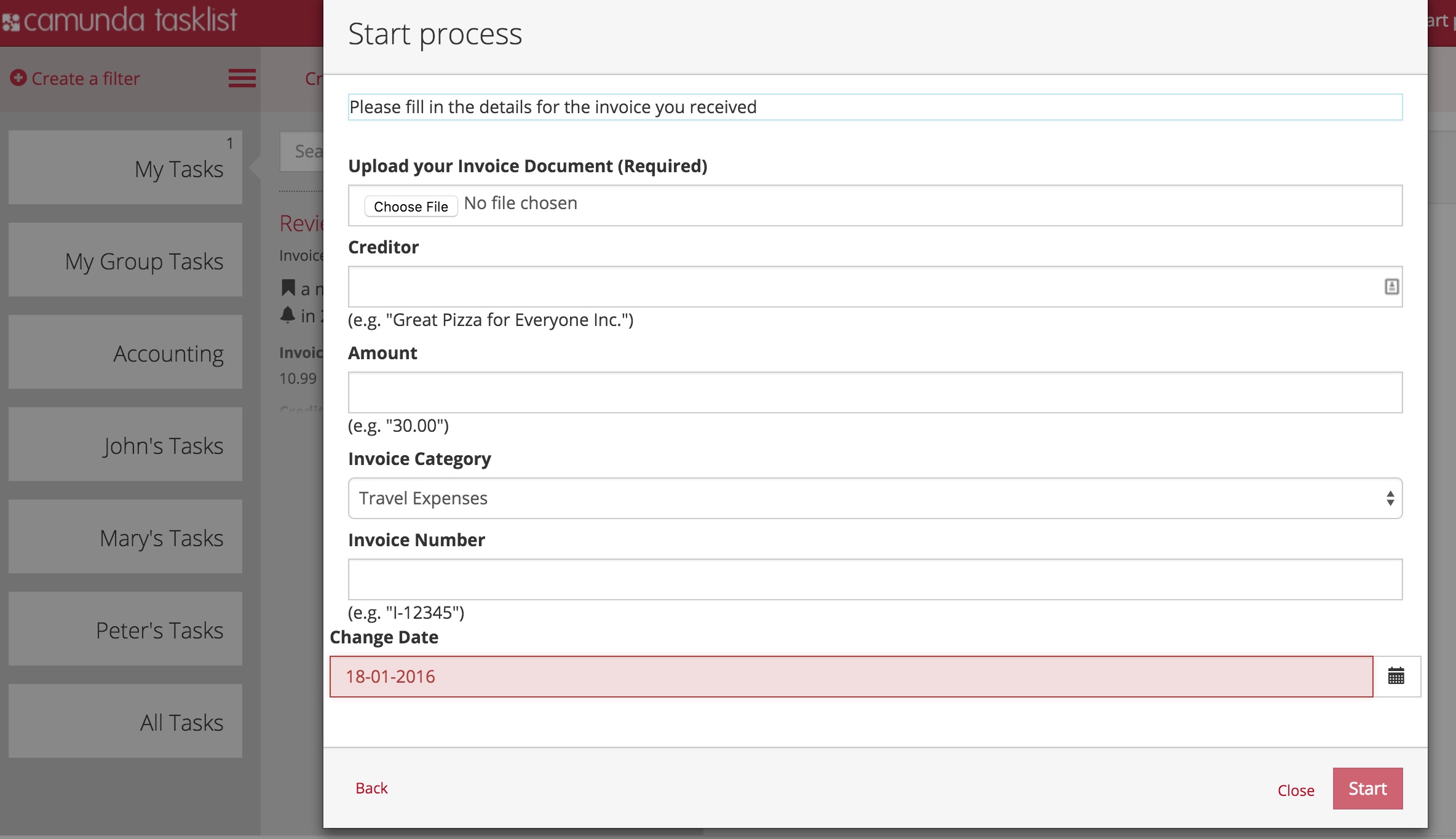
- Open Datepicker in an embedded form
- Select Date
Problem:
- Datefield appears red (invalid)
Expected behavior:
- Datefield appears black (valid)
Hints (optional):
We use the datepicker from angular-ui. angular-ui has a bug: the $viewValue is a date-object instead of a string, which it should be according to the angular specification. Therefore, our validation fails.
Workaround:
- Delete a character
- re-enter the character
-> Datefiled validates correctly