-
Type:
Bug Report
-
Resolution: None
-
Priority:
 L3 - Default
-
None
-
Affects Version/s: None
-
Component/s: camunda modeler
-
None
-
Environment:Window 7 Enterprise 64 bit
Camunda Modeler 1.8.2
Problem
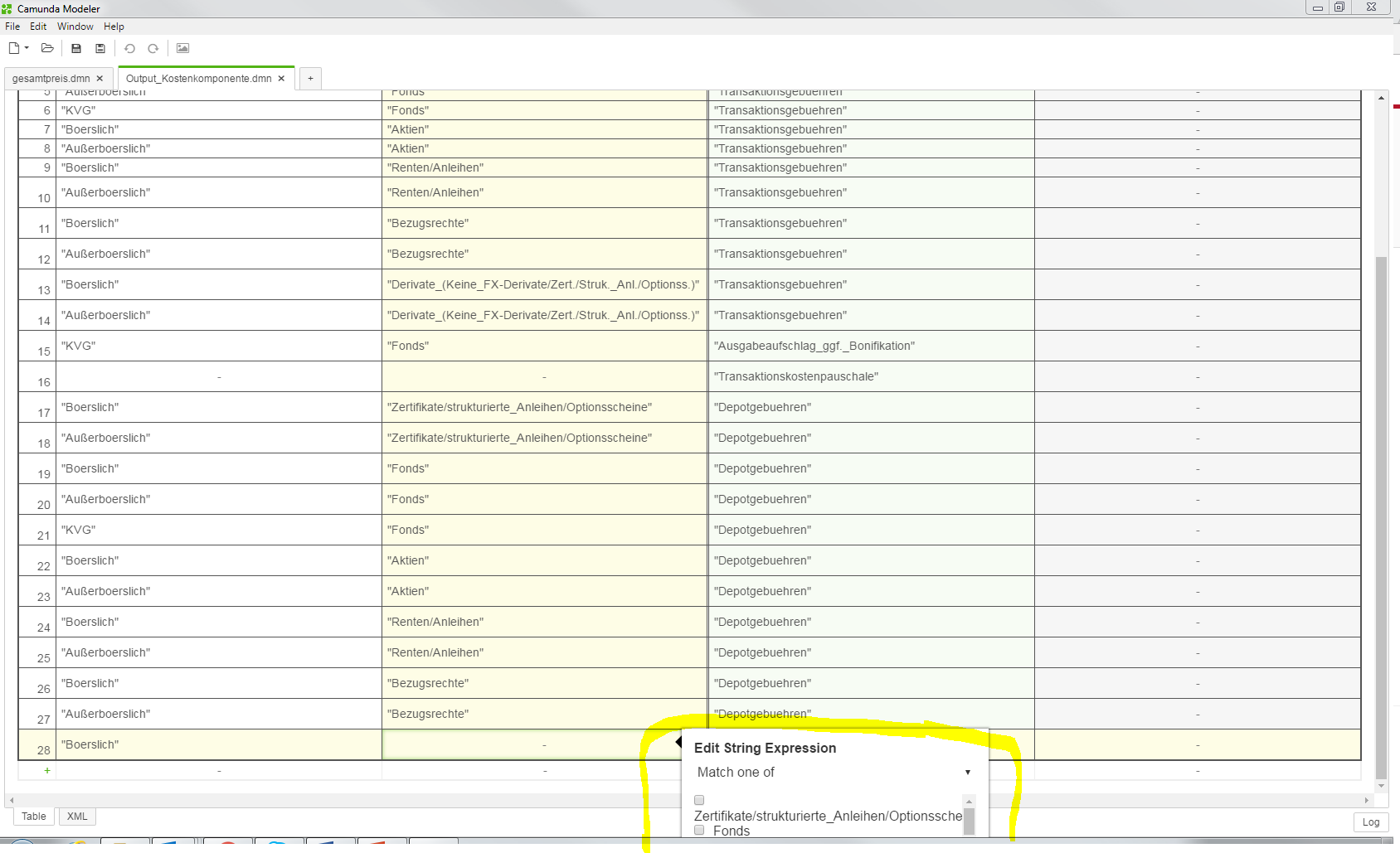
The "Edit String Expression" dialog does not work for large tables and more than a few options.
How to reproduce
- Load the attached file Example.dmn in Camunda Modeler
- "Exit advanced mode", if necessary
- Scroll down to rule #28
- Left-click input column Assetklasse in line #28
- Try to scroll down to the last option in dialog "Edit String Expression" -> does not work with mouse or keyboard (see screenshot)
Expected behavior
All input options are reachable.
Workaround
Enter advanced mode and edit value directly.